This is the Trace Id: c423e09b403c143156a2cdeaee91f839
Skip to main content Why Microsoft Security AI-powered cybersecurity Cloud security Data security & governance Identity & network access Privacy & risk management Security for AI Unified SecOps Zero Trust Microsoft Defender Microsoft Entra Microsoft Intune Microsoft Priva Microsoft Purview Microsoft Sentinel Microsoft Security Copilot Microsoft Entra ID (Azure Active Directory) Microsoft Entra Agent ID Microsoft Entra External ID Microsoft Entra ID Governance Microsoft Entra ID Protection Microsoft Entra Internet Access Microsoft Entra Private Access Microsoft Entra Permissions Management Microsoft Entra Verified ID Microsoft Entra Workload ID Microsoft Entra Domain Services Azure Key Vault Microsoft Sentinel Microsoft Defender for Cloud Microsoft Defender XDR Microsoft Defender for Endpoint Microsoft Defender for Office 365 Microsoft Defender for Identity Microsoft Defender for Cloud Apps Microsoft Security Exposure Management Microsoft Defender Vulnerability Management Microsoft Defender Threat Intelligence Microsoft Defender Suite for Business Premium Microsoft Defender for Cloud Microsoft Defender Cloud Security Posture Mgmt Microsoft Defender External Attack Surface Management GitHub Advanced Security Microsoft Defender for Endpoint Microsoft Defender XDR Microsoft Defender for Business Microsoft Intune core capabilities Microsoft Defender for IoT Microsoft Defender Vulnerability Management Microsoft Intune Advanced Analytics Microsoft Intune Endpoint Privilege Management Microsoft Intune Enterprise Application Management Microsoft Intune Remote Help Microsoft Cloud PKI Microsoft Purview Communication Compliance Microsoft Purview Compliance Manager Microsoft Purview Data Lifecycle Management Microsoft Purview eDiscovery Microsoft Purview Audit Microsoft Priva Risk Management Microsoft Priva Subject Rights Requests Microsoft Purview Data Governance Microsoft Purview Suite for Business Premium Microsoft Purview data security capabilities Pricing Services Partners Cybersecurity awareness Customer stories Security 101 Product trials Industry recognition Microsoft Security Insider Microsoft Digital Defense Report Security Response Center Microsoft Security Blog Microsoft Security Events Microsoft Tech Community Documentation Technical Content Library Training & certifications Compliance Program for Microsoft Cloud Microsoft Trust Center Service Trust Portal Microsoft Secure Future Initiative Business Solutions Hub Contact Sales Start free trial Microsoft Security Azure Dynamics 365 Microsoft 365 Microsoft Teams Windows 365 Microsoft AI Azure Space Mixed reality Microsoft HoloLens Microsoft Viva Quantum computing Sustainability Education Automotive Financial services Government Healthcare Manufacturing Retail Find a partner Become a partner Partner Network Microsoft Marketplace Marketplace Rewards Software development companies Blog Microsoft Advertising Developer Center Documentation Events Licensing Microsoft Learn Microsoft Research View Sitemap

Azure Active Directory (Azure AD) is now Microsoft Entra ID.

Learn more

Microsoft Entra single sign-on (SSO)

Simplify access to your software as a service (SaaS) apps, cloud apps, or on-premises apps from anywhere with single sign-on (SSO).

Reimagine secure access with Microsoft Entra

Discover the latest identity and access innovations and how to strengthen your defenses with Microsoft Entra.

What is single sign-on?

With SSO, your teams can use just one set of credentials to conveniently access all their apps. No more memorizing multiple credentials or reusing passwords.
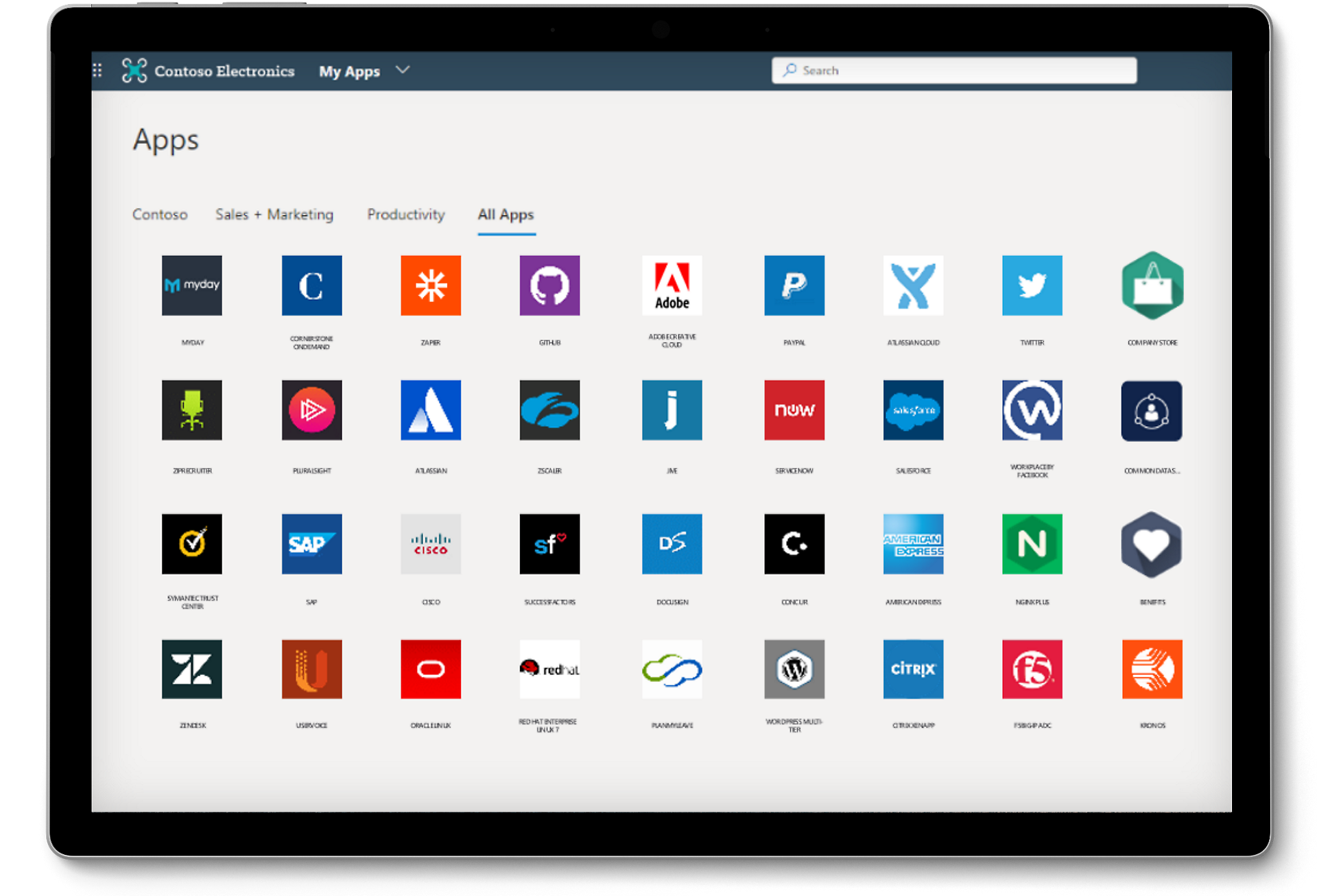
A tablet showing a large variety of apps on the All Apps tab accessible using single sign-on.

What single sign-on provides

A person sitting on a couch using headphones and a laptop.

Streamlined sign-in experiences

Provide a superior sign-in experience by reducing or eliminating sign-in prompts.

Two people having a conversation in a coffee shop over a laptop.

Increased employee productivity

Simplify access and app discovery with a quick, centralized app-launching experience.

A person sitting at a desk using a laptop.

Enhanced security

Reduce the reuse of usernames and passwords across apps to help minimize the risk of breaches.

A person looking down at a desktop monitor.

Increased IT efficiency

Centralize user account management and automatically add or remove user access across apps based on group membership or roles.

Single sign-on with Microsoft Entra ID

Enabling SSO with Microsoft Entra ID means users can sign in once to access their Microsoft apps and other cloud, SaaS, and on-premises apps with the same credential.

Single sign-on methods

Choose an SSO method based on how your application is configured for authentication.

Integrated single sign-on apps

Use our prebuilt integrations to connect to your cloud-enabled SaaS apps such as ServiceNow, Workday, and Box.

OpenID Connect single sign-on

Use OpenID Connect and OAuth for SSO when developing a new app.

SAML single sign-on

Choose Security Assertion Markup Language (SAML) whenever possible for existing apps that do not use OpenID Connect or OAuth.

Single sign-on for on-premises apps

Use Microsoft Entra application proxy to provide SSO for on-premises apps that use authentication methods such a header-based sign-on or integrated Windows authentication.

Take a deep dive into using single sign-on with Microsoft Entra ID

Additional SSO resources

Basics of single sign-on

Discover how SSO authentication systems work.

Single sign-on deployment guide

See step-by-step guides for configuring and deploying SSO with Microsoft Entra ID.

Single sign-on best practices

Get recommendations for managing applications and SSO with Microsoft Entra ID.

Safeguard your organization with a seamless identity solution

Follow Microsoft Security